Title: Mastering Mold Open in Solidworks CSWPA Certification Exam - Episode 4
Description:
Welcome to the fourth episode of the Certified Solidworks Professional Advanced (CSWPA) series, where we delve into the intricacies of mold making and achieve maximum mold opening. In this video, we will equip you with the necessary skills to excel in the Solidworks CSWPA - Mold Making Certification Exam.
In this comprehensive tutorial, we explore the various aspects of mold open in Solidworks, providing you with a step-by-step guide to master this crucial technique. By the end of this video, you will have a solid understanding of how to navigate through Solidworks to achieve flawless mold open operations.
Key Highlights:
1. Introduction to the Solidworks CSWPA - Mold Making Certification Exam
2. Exploring different mold opening techniques and their applications
3. Understanding the significance of maximum mold opening
4. Step-by-step demonstration of mold open operation in Solidworks
5. Tips and tricks to optimize your workflow and improve efficiency
6. Common challenges faced during mold open and how to overcome them
We encourage you to engage with the video by liking, subscribing, and sharing it with fellow Solidworks enthusiasts who might benefit from this valuable content. Your support enables us to continue creating high-quality tutorials like this one.
Additional Tags: Solidworks CSWPA, Mold Making Certification Exam, Mold Open, Solidworks tutorial, Solidworks tips and tricks, Solidworks certification, Solidworks advanced techniques
Hashtags: #Solidworks #CSWPA #MoldMakingCertification #MoldOpen #SolidworksTutorial #CertifiedSolidworksProfessional #EngineeringDesign
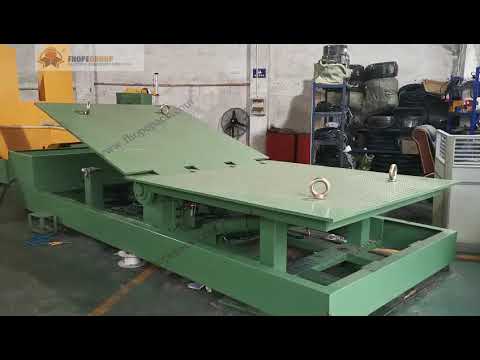
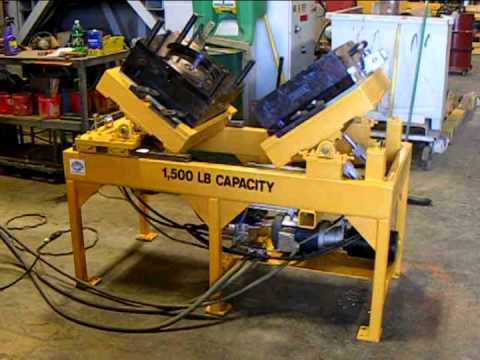
To create a tilter for the Solidworks CSWPA - Mold Making Certification Exam, specifically for the Max Mold Opening scenario (EP4), you can follow these steps:
1. Open Solidworks and create a new part file.
2. Set the units and dimensions according to your preferences or the requirements of the exam.
3. Start by sketching the base of the tilter. Use the appropriate sketch tools to create a rectangular shape that represents the base plate.
4. Add dimensions to the sketch to define the size of the base plate. Ensure that the dimensions meet the requirements mentioned in the exam scenario.
5. Extrude the sketch to create a solid base plate. Set the extrusion depth as required.
6. Sketch the side walls of the tilter. Use the appropriate sketch tools to create a rectangle that will form the side wall.
7. Add dimensions to the sketch to define the size of the side wall. The dimensions should align with the base plate and meet the exam requirements.
8. Extrude the sketch to create a solid side wall. Set the extrusion depth according to the desired height of the tilter.
9. Repeat steps 6 to 8 to create the remaining side walls of the tilter. Ensure that all the side walls are aligned properly and have the same dimensions.
10. Sketch the top surface of the tilter. Use the appropriate sketch tools to create a rectangle that will form the top surface.
11. Add dimensions to the sketch to define the size of the top surface. The dimensions should align with the base plate and side walls.
12. Extrude the sketch to create a solid top surface. Set the extrusion depth as required.
13. Add any additional features or details to the tilter according to the exam requirements. This may include fillets, chamfers, or any specific features mentioned in the scenario.
14. Apply appropriate material properties to the tilter, considering the material mentioned in the exam scenario.
15. Save the part file and submit it as part of your exam submission.
Remember to thoroughly read and understand the exam scenario and requirements before starting the tilter design. Pay attention to any specific instructions or constraints mentioned in the scenario to ensure your design meets all the necessary criteria. mold open
#Solidworks #CSWPA #Mold #Making #Certification #Exam #Max #Mold #Opening #EP4